
 |
| Title: |
|
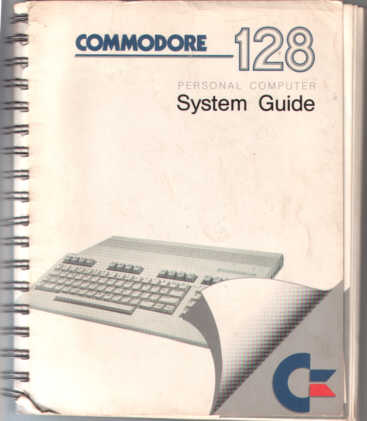
Commodore 128 System Guide |
| ISBN: |
|
N/A |
| Author: |
|
Unknown |
| Publisher: |
|
Commodore Business Machine, Inc. |
| Price: |
|
Free with Computer |
| First Printing: |
|
1985 |
| Number of Pages: |
|
404 |
| Table of Contents: |
| I - Introduction |
| Section 1 - How to Use this Guide |
| Section 2 - Overview of the Commodore 128 Personal Computer |
| II - Using C128 Mode |
| Section 3 - Getting Starting in BASIC |
| Section 4 - Advanced BASIC Programming |
| Section 5 - Some BASIC Commands and Keyboard Operations Unique to C128 Mode |
| Section 6 - Color, Animation, and Sprite Graphics Statements Unique to the C128 |
| Section 7 - Sound and Music in C128 Mode |
| Section 8 - Using 80 Columns |
| III - Using C64 Mode |
| Section 9 - Using the Keyboard in C64 Mode |
| Section 10 - Storing and Reusing Your Programs in C64 Mode |
| IV - Using CP/M Mode |
| Section 11 - Introduction to CP/M 3.0 |
| Section 12 - Files, Disks, and Disk Drives in CP/M 3.0 |
| Section 13 - Using the Console and Printer in CP/M 3.0 |
| Section 14 - Summary of Major CP/M 3.0 Commands |
| Section 15 - Commodore Enhancements to CP/M 3.0 |
| 4. Advanced BASIC |
| 5. Advanced Color and Graphics Commands |
| 6. Sprite Graphics |
| 7. Creating Sound |
| 8. Advanced Data Handling |
| Appendices: |
| A. | Commodore 64 Accessories and Software |
| B. | Advanced Cassette Operation |
| C. | Commodore 64 BASIC |
| D. | Abbreviations for BASIC Keywords |
| E. | Screen Display Codes |
| F. | ASCII and CHR$ Codes |
| G. | Screen and Color Memory Maps |
| H. | Deriving Mathematical Functions |
| I. | Pinouts for Input / Output Devices |
| J. | Programs to Try |
| K. | Converting Standard BASIC Programs to Commodore 64 BASIC |
| L. | Error Messages |
| M. | Musical Note Values |
| N. | Bibliography |
| O. | Sprite Register Map |
| P. | Commodore 64 Sound Control Settings |
| INDEX |